For nearly a year, deploying new builds of my PWS Watch app meant restarting my Apple Watch or juggling various workarounds just to get Xcode to connect. A restart would allow one deployment, then Xcode would report the Watch as unavailable again.
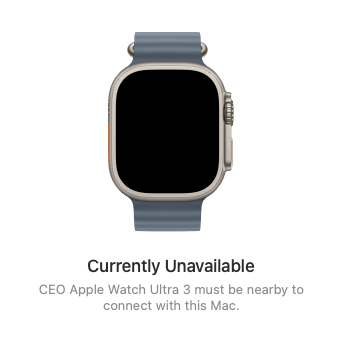
“Currently Unavailable”
While troubleshooting, I unpaired the Watch through Xcode’s Device Hub. That made things worse: the Watch disappeared entirely. My iPhone connected successfully, but the Watch was absent from devicectl list devices, and Device Hub stayed at “Waiting to pair.”
Restarts, network changes, and reconnecting the iPhone did not restore discovery.
After a lot of research, I found the step that restored the connection: initiate pairing from the Watch itself.
My setup
- Xcode 27.1 (27A9275)
- macOS 27.0.1
- Mac Studio M4 Max
- Apple Watch Ultra 3
- iPhone 12 Pro Max
- Developer Mode enabled on both the iPhone and Watch
What worked
My Watch was already unpaired from Xcode when I followed these steps:
- In Device Hub, select + → Pair Nearby Device → Apple Watch, and leave the pairing window open.
- On the Watch, open Settings → Privacy & Security → Developer Mode.
- Select Pair with [your Mac’s name] to initiate pairing.
- A six-digit code appears on the Mac. Enter it on the Watch.
- Keep the Watch unlocked until device preparation finishes.
If you are reproducing my full sequence from an existing developer pairing, the preceding step was to unpair the Watch in Device Hub. I did not unpair it from the iPhone or erase either device.
The important distinction: simply waiting in Device Hub did nothing. Starting the pairing process on the Watch moved it forward.
Both problems resolved
The Watch reappeared in Device Hub, connected successfully, and became available as a run destination.
And, I no longer need to restart it between deployments. It remains paired and available, connects when needed, and accepts successive builds of PWS Watch.
This resolved both the immediate pairing failure and the recurring deployment problem I had been dealing with for nearly a year.
Where I found the solution
The breakthrough came from a follow-up on Apple Developer Forums thread 813066, page 2. The developer who filed FB25364030 reported successful pairing with Xcode 27.1 and watchOS 27.2 by initiating it from the Watch.
That sequence worked for my setup too. I cannot say whether it resolves every Watch connectivity failure, but in my case, the difference has held across successive deployments.
It took a lot of research to find this. Sharing in the hope it saves another Watch developer the same frustration.
/ceo